


In Mated, AI agent answers are included in the plan: 900 a month on Start and 2 500 on Business. If you need more, you can buy extra answers as a one-off. So the main question when choosing is not “how much is the subscription” but “how many agent answers does your business need a month”. Let’s work out how to estimate that volume from your own chats, how to read the slider on the pricing page and what to consider besides the number of answers.
What counts as one answer
One answer is one message from the agent to a customer. If the agent answers a question about the price and then asks for a convenient time, that’s two answers. Only the agent’s messages count: what customers write and what your managers reply are not AI answers.
What the plans include
| Terms | Start | Business | Turnkey |
|---|---|---|---|
| Price per month | 159 000 UZS | 470 000 UZS | custom quote |
| Billed yearly | 127 200 UZS a month | 376 000 UZS a month | — |
| AI answers in the package, per month | 900 | 2 500 | your own package |
| Extra answers, one-off | from 100, at cost | from 100, at cost | your own package |
| Team accounts (soon) | 2 | up to 5 | no limit |
The yearly discount is 20% on the subscription. Extra answers are a one-off purchase at cost: no markup, but no yearly discount either.
How to estimate your volume
The easiest way is to count from last month’s chats:
- Count the chats. How many customers wrote to you in a month across all channels: Instagram, Telegram, Facebook, website. If you don’t have exact data, count the new chats in one ordinary week and multiply by four.
- Estimate the length of a conversation. Open a few typical chats and count how many messages it took to answer the questions and get the contact details.
- Decide what share you give to the agent. All chats or only after hours, only frequent questions or the whole path to a lead.
- Multiply. Chats × agent messages per chat × the share of chats the agent handles.
Add a margin for the season: during enrollment periods, sales and holidays there are more chats.
How the slider on the pricing page works
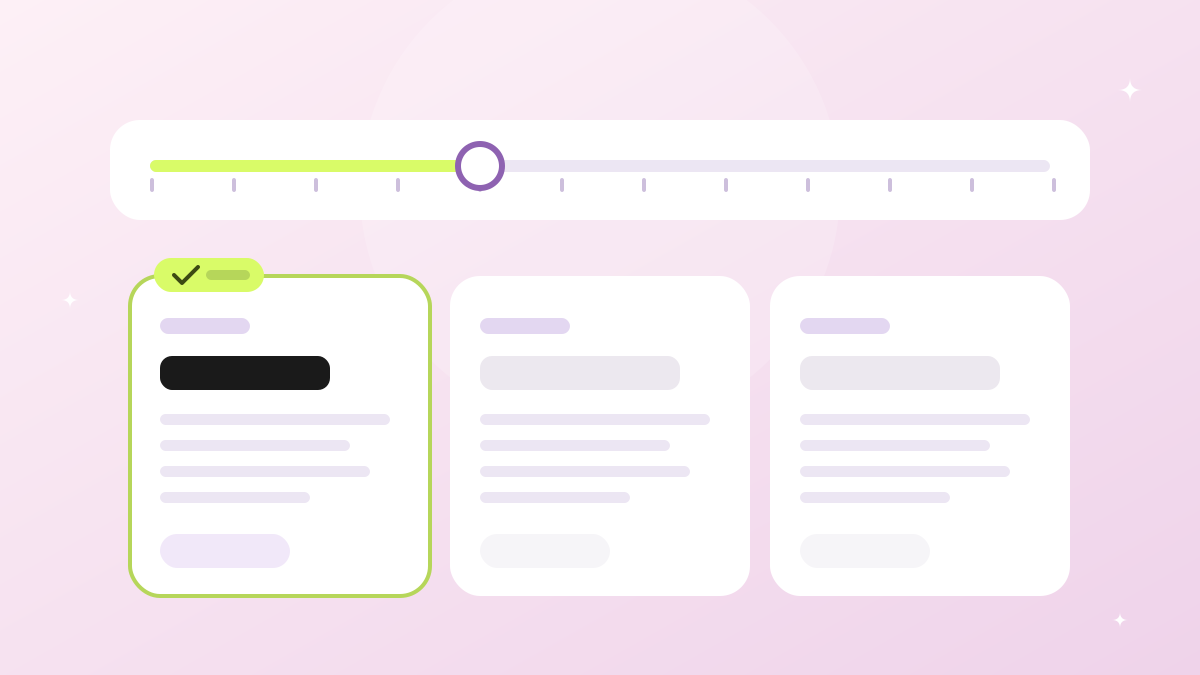
The pricing page has an “Extra AI answers — one-off” slider. It shows how many answers you add to the package in a one-off purchase: 0 means the package only, then it moves in steps from 100 to 10 000 answers. For each position the calculator shows:
- the total for each plan — the monthly plan price + the one-off purchase;
- a breakdown line — how many answers are added and what they cost;
- the answers in the package — how many AI answers the plan includes every month.
Extra answers never expire: they are used after the package answers and stay until you use them. Unused package answers don’t carry over to the next month. A 2.5% payment system fee is added at checkout, and you see the total with the fee before you pay.
If even 10 000 extra answers are not enough, look at the Turnkey plan: the answer package and the price are calculated individually for your process.
The Month / Year switch recalculates the subscription price with the 20% discount. The cost of extra answers stays the same.
The site shows list prices for the plans. The cost of extra answers depends on the cost price and is shown in the calculator.
Not just answers: what else to consider
- Team. How many people will work in the workspace once team accounts with roles arrive (soon): 2 accounts on Start, up to 5 on Business.
- Features. Channels, CRM and analytics are in both plans. Business has a bigger package — 2 500 answers — and priority support.
- Period. If you are sure of your choice, the yearly option lowers the subscription price by 20%: Start is 127 200 UZS a month, Business is 376 000 UZS a month.
- Growth. If you get more chats every month, calculate from the expected volume, not last month’s.
- Special needs. Unlimited channels, features on request, help with setup — that’s the Turnkey plan.
How to split access between employees is covered in “Team roles in a sales chat”.
How to check your choice
The best test of your estimate is the first month of work. Check in analytics how many answers the agent actually gave. If you need noticeably more answers than the package, add the missing ones with the slider and compare the plan totals again.
There are fewer unnecessary answers when the knowledge base is accurate: the more complete the first answer, the fewer follow-up messages. How to prepare it is covered in “How to prepare a knowledge base for an AI agent”. And why answer after hours at all is explained in “How to answer customers at night”.
Frequently asked questions
What if I need more answers than the package includes?
Buy them as a one-off, from 100 answers at a time. Extra answers are paid once, at cost, and never expire, while unused package answers don’t carry over to the next month. A 2.5% payment system fee is added at checkout. The slider immediately shows what the extra answers cost on each plan.
Should I take a plan with extra room right away?
Not necessarily. Start with the plan that fits your volume and the features you need, and add answers if the package runs short. After the first month, recalculate your volume using your analytics.
When should I look at Turnkey?
When you regularly need more answers than the package plus a one-off purchase of up to 10 000, when you need unlimited channels, or when your process needs features that the standard plans don’t have.
Where to start
You don’t have to choose a plan on day one. Sign up, build the knowledge base in the setup wizard and check the agent’s answers before launch — along the way you’ll see how many messages a typical conversation takes. See what each plan includes on the pricing page and all workspace capabilities on the features page.